
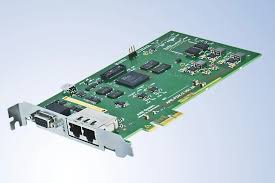

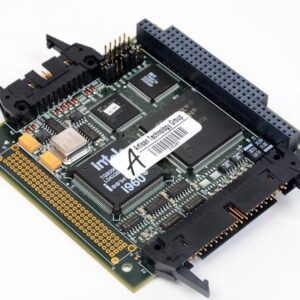
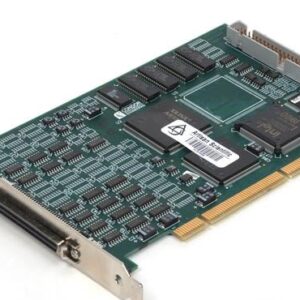
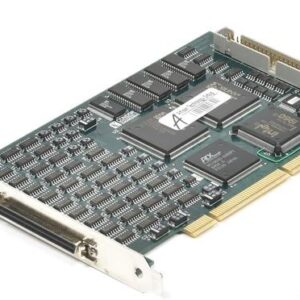
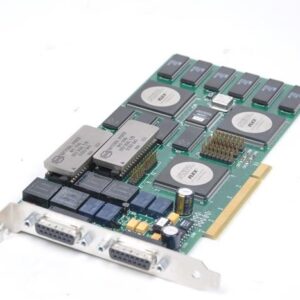
The AIM API-FDX-2 is a dual-port AFDX simulator and monitor module for PCI-based test systems. It generates, captures, and analyzes Avionics Full-Duplex Switched Ethernet traffic across two independently configurable 100Mbit Full Duplex Ethernet ports, or operates as a single dual-redundant port. The module supports simultaneous Traffic Simulator and Receiver/Monitor modes, TAP-mode inline analysis, Virtual Link packet capture, frame statistics, and programmable error injection across logical, timing, and protocol layers.
– Technical Specifications
• Protocol: AFDX (Avionics Full-Duplex Switched Ethernet), ARINC 664
• Ports: 2 (configurable as two single ports or one dual-redundant port)
• Ethernet Interface: 100Mbit Full Duplex
• Operating Modes: Traffic Simulator, Receiver/Monitor, TAP Mode
• Time Stamping: IRIG-B Time Code Decoder/Processor with 46-bit absolute time at 1 µsec resolution
• Transmit Sequencing: Generic/Replay mode and UDP Port-oriented shaped transmissions
• Receive Buffering: Chronological mode with circular buffer; UDP/VL-oriented mode with separate queue buffers
• Frame Field Programming: Virtual Link Identifier, MAC Source Address, IP Structure, UDP Structure, Payload, Sequence Number
• Payload: User-defined or fixed data with optional time-tag insertion for latency measurement
• Error Injection: Logical, timing, and AFDX protocol errors
• Error Detection: Frame header reporting in reception mode
– Key Features
• Onboard Application Support Processor (ASP) and multiple RISC processors
• Scalable memory architecture
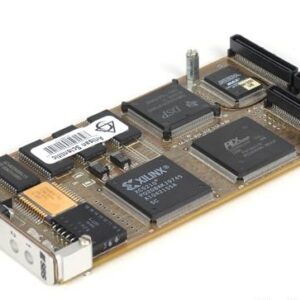
• AFDX-specific Physical Bus Interface (PBI) on piggyback board
• Configurable payload discard to optimize buffer capacity for frame analysis
• Frame statistics for AFDX ports
• Powerful triggering and filtering capabilities
• Built on AIM’s Common Core hardware design
– Typical Applications
• AFDX network simulation and validation
• Aircraft avionics system testing
• Virtual Link traffic generation and monitoring
• Inline network tap analysis
• Protocol compliance verification
– Compatibility & Integration
Optional software: fdXplorer AFDX Network Analyser and ParaView Parameter Visualiser (Windows).






Reviews
There are no reviews yet.